Showing posts with label Gadgets. Show all posts
Showing posts with label Gadgets. Show all posts
Wednesday, 22 June 2011
Network Attached Storage (NAS) for home use
After several little scares that I recently had with my family photos and videos, I decided I need to shift and get some backup sorted.
First I looked into external USB drive but soon realised that Network Attached Storage (NAS) would suit me much better. In my household there are 2 desktop PCs, one notebook, one llaptop and one MacBook. Consuming LAN also are 2 xbox consoles, Wii console, 2 DS handhelds, 2 iPods and 2 smartphones too. So rather than sorting out the backup manually from each device into external USB drive, I decided to get a server sorted so I can backup and share data.
So I looked and searched anything I could find available for home use and in the end settled for QNAP TS-210 and 2 x 2Tb Seagate ST2000DL003 drives.Full package just under £260. Two external USB drives of 2Tb each would cost me in the region of £140 so almost half of what I paid for NAS but I felt that USB drives would just end up like extra storage and that's it - fragmented backup, poor file sharing, etc.
Here are some of the factors that made me decide to go for NAS:
Backup, backup, backup. With 2Gb (in Raid 1) should be able to backup all devices (not just one or two PCs). I should be able to sleep much better knowing that all my computers are backed up. Also organising backups will be much simpler since all devices will have hassle free access to NAS.
Streaming. Big bonus is the option to watch family videos from any device in the house. Or stream music to any device. Or build the DVD library easily accessible. I plan to use the main Sony Bravia TV, iPod, iPhone and Notebooks as and when needed.
Access. I want to be able to drop files in and get them out when ever and where ever I am. I can think of several times when I could do with this feature when I was at work, shopping, on holiday, etc.
Convenience. All devices can connect to it directly without having to have any particular PC switched on. Sharing the printer as well is a great bonus as I was getting really annoyed having to switch on the PC connected to the printer.Also having all photos, all videos and all music in one place is a great bonus too. With NAS all photos, videos will go in the same place. Same for music we buy online. It is going to be easier to organise too. Documents will be stored on it centrally too, so it won't matter any more which PC we were using last time we worked on a document.


Wednesday, 23 March 2011
Nokia OVI maps
But unless I connected to internet it would not display any roads, basically maps were blank. Soon as I connected to internet it would start downloading tons of data which I assume is the maps of the area I was in. Needless to say this was mounting to cost me more than a dedicated GPS device with roaming charges and data. So had to give up on it and just use paper maps which was a real pain.
However, as an experiment I recently solved this problem. I know this is not what Nokia/Ovi suggests you to do but the for me the solution is to download maps directly to your phone via WiFi, not through the PC/USB. I've now disabled internet connection on the Ovi Map settings on the phone and can still get maps more or less instantly. Got there in the end. Not sure if it will fall apart when I connect the phone to the PC but I'm seriously considering not to use Ovi PC suite at all.
Nokia doesn't like m4a files
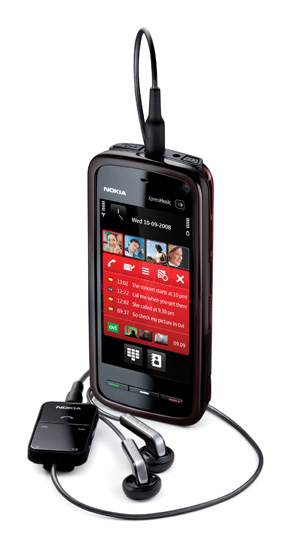
My Nokia 5800 XpressMusic will automatically include all mp3 files in the music library. Recently I manually copied some files (as partial sync is too fiddly) and when I went to play them noticed some songs were missing from the library. When I checked with the File Manager I found out that files were there but for some reason they were not showing in the Music Library. Checking the files noticed that all files missing were .m4a files and if I open them from the File Manager they would open on OVI music player and would play fine. So I went back to the music player trying to find some setting somewhere which excludes any file that is not mp3 file, but there was hardly anything in the settings. So after a lot of fiddling I found an option in the menu which you only get on the first Music player screen "Refresh library"! Took a minute and bang, it found over 50 new songs.
So the lesson of the day is if you copy anything other than mp3 files make sure you hit Refresh library on the main menu.
So the lesson of the day is if you copy anything other than mp3 files make sure you hit Refresh library on the main menu.
Subscribe to:
Posts (Atom)